AllSec Dashboard: Home Page
Home Page
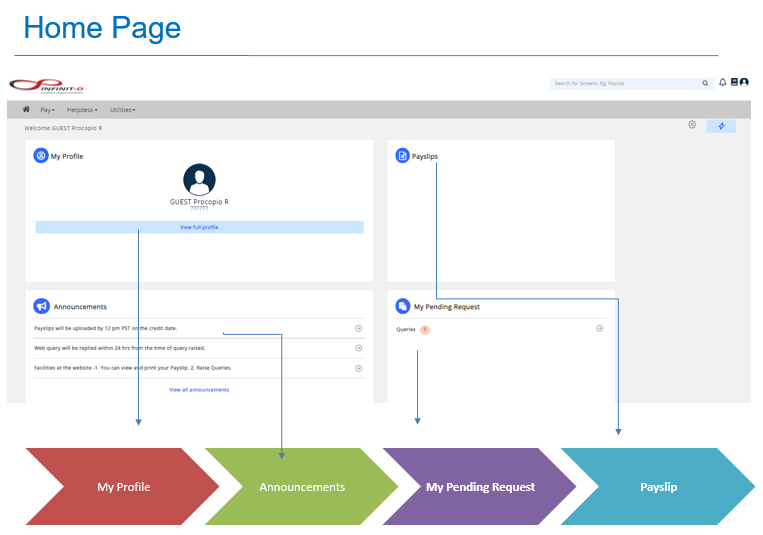
You can access the following widgets on the Home Page:
- Full Profile - to view your Employee Profile, as well as update your information
- Announcements - for any relevant announcements
- My Pending Requests - requests that you have pending
- Payslips - payslips that are available
You can configure additional widgets on the Home Page to customize your view.
Widgets
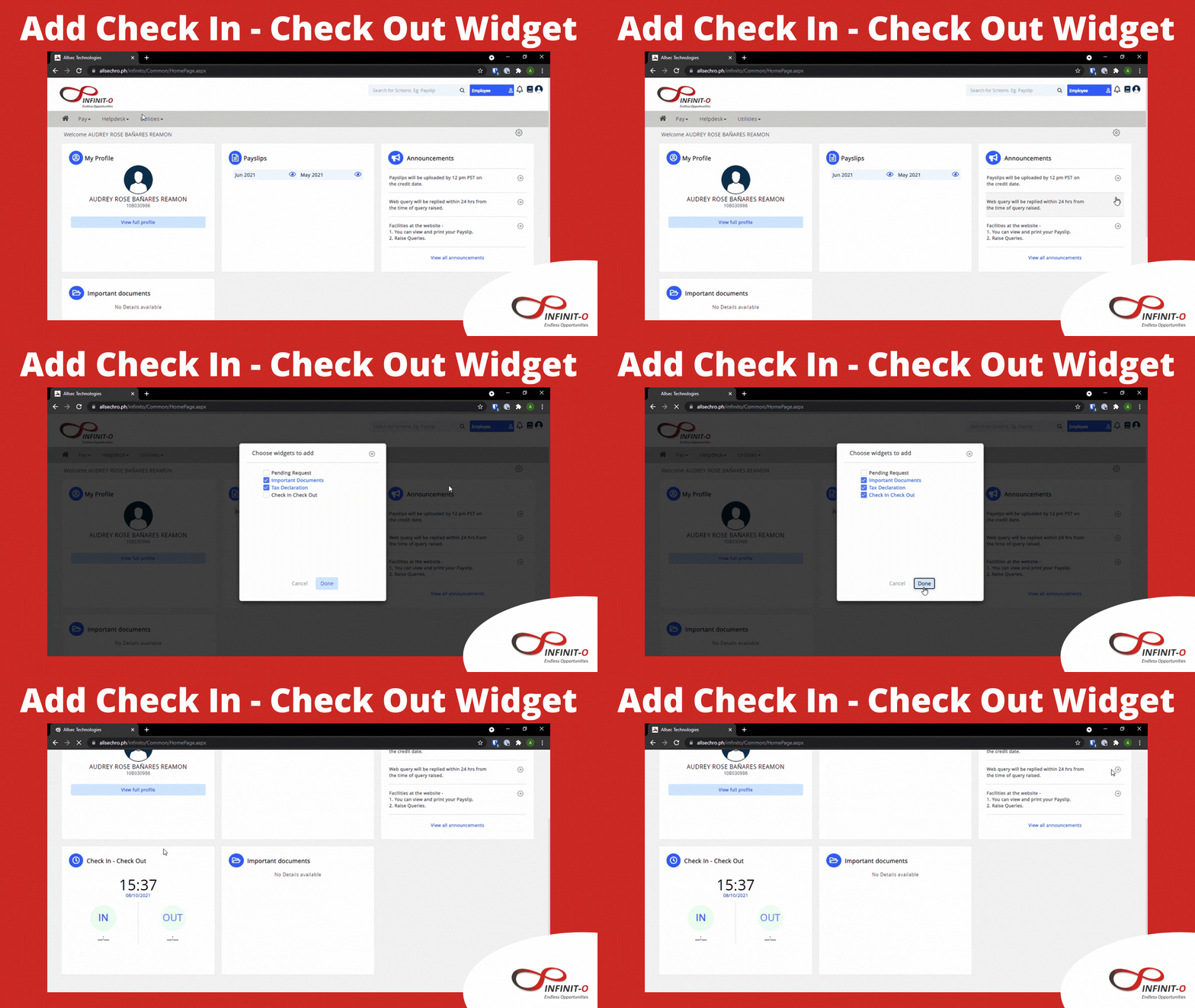
- Check In - Check Out
- The Check In - Check Out widget provides the feature to log in and log out (bundy).
The image below shows the process how to add this if you are unable to see this widget.
Related Articles
AllSec Dashboard: Leave Filing
To file Leave Requests on Allsec, you can submit via either: The Leave Request Menu The Leave Dashboard Leave Request Menu The Leave Request Menu allows you to view leave filings with holidays and other company events. Filing for a leave is also ...AllSec Dashboard: Help Desk
The AllSec Help Desk is made available to all team members for any concerns or requests related to Payroll. The image below shows: How to navigate to the AllSec HelpDesk How to file a New Query How to Check the Status of a QueryAllSec Dashboard: Payslip
View Your Payslip Your bi-monthly payslip will be made available on the AllSec Dashboard for you to view and download. To navigate to the facility, click on 'Pay' at the top, and 'PaySlip'. Your Pay Slip will have the following parts for your ...AllSec Dashboard: Tax Slip
View Your Tax Slip Your Tax Slips are made available on the AllSec Dashboard for you to view and download. To navigate to the facility, click on 'Tax' at the top, and 'Tax Slip'.AllSec Dashboard: Contribution Certificates
Contribution Certificates are made available for download over AllSec. You are free to download the following based on your contribution record SSS Contribution Certificate Philhealth Contribution Certificate HDMF (Pag-Ibig) Contribution Certificate ...